How to Build a Searchable Inventory of Your Storage Boxes
Picture this: you pull into your storage unit after months away, facing a wall of identical brown boxes. You need holiday ornaments or that box of family photos, but which one? The answer used to live in your head, on a crumpled paper list taped to the door, or in a spreadsheet gathering digital dust. Those systems crumble over time. A searchable box inventory changes everything. It lets you pinpoint the exact box and location before you lift a lid.
This guide walks you through building a storage inventory list that stays useful a year later. Whether you organize seasonal clothes, collectibles before a move, or a long-term self-storage setup, the key is structure that matches how you pack and search.
What Makes a Storage Inventory List Truly Usable?
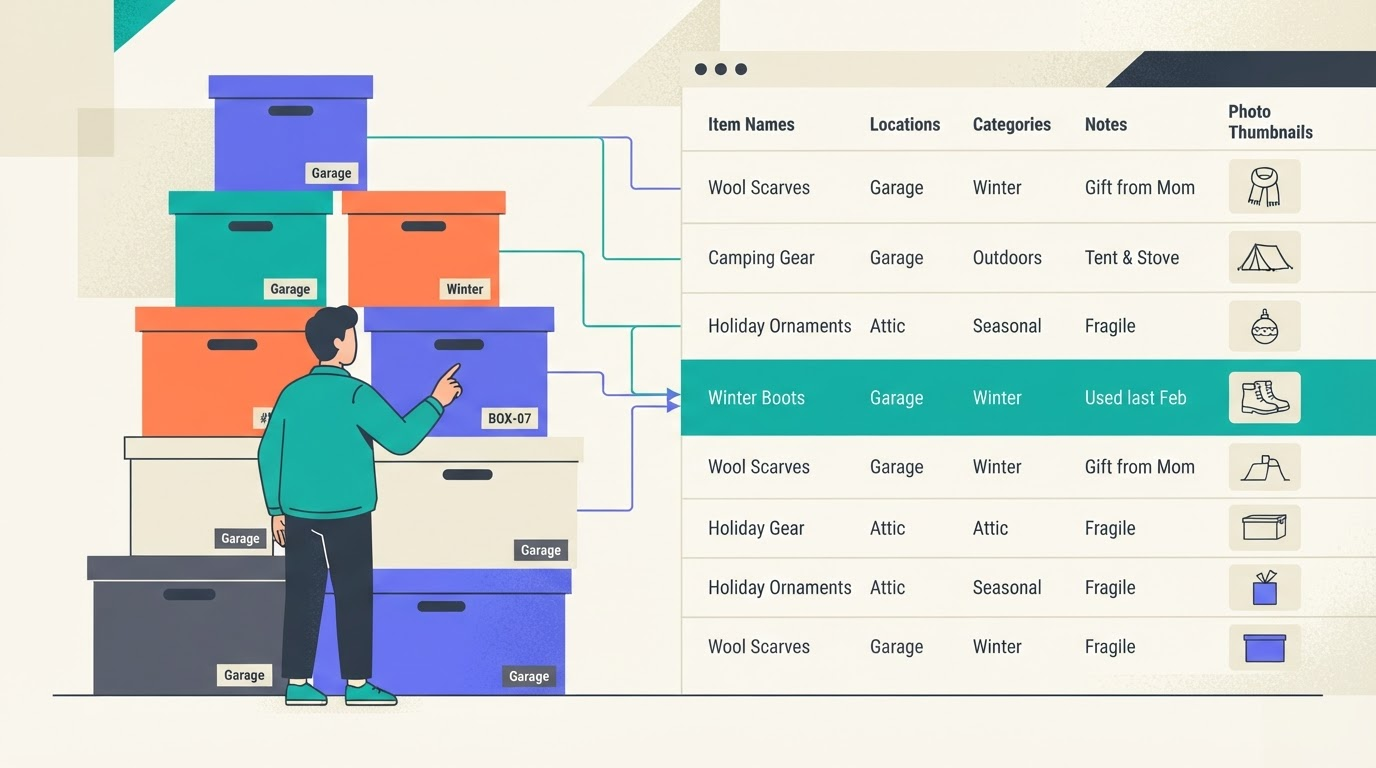
A good digital inventory for storage unit goes beyond a basic checklist. Every box gets an ID, like "Box 17", and a clear home, such as "Unit A, bottom shelf left". Important items inside carry details: name, category like "holiday decor", notes on condition, quantity, and a photo when visuals clarify things.
This setup supports storage box categories and locations. Search by item name, tags, or notes, and results show the box number and spot. No more rummaging. It scales for garage stacks, attic corners, or rented units packed with family heirlooms.
The Right Order to Set Up Your Catalog of Stored Items
Build as you go, not after. Start with locations to ground everything.
- Name locations first. Use specifics: "Garage Shelf 2", "Attic East Wall", "Storage Unit B Row 3". Keep them consistent and short.
- Create boxes next. Assign numbers sequentially: Box 1, Box 2. Add a label like "Winter Clothes" and link to the location.
- Log items while packing. For each, note name ("Santa mug set"), description, quantity ("6 pieces"), condition ("good"), tags ("fragile, red"), and snap a photo if needed.
This flow keeps momentum. Pack a box of books? Number it, place it, list titles or genres inside right then. Your searchable box inventory emerges naturally.
Box Details vs. Item Details: Know When to Add More
Boxes Need Basics
Record box number, label, location, category ("kitchen", "tools"), notes ("heavy, stack last"), condition ("sturdy"), color (for quick visual ID), and a photo of the outside or open contents.
Items Get the Spotlight
Prioritize: name and description first. Add quantity for multiples, tags for cross-searching, condition for valuables, and photos for collectibles, clothes, or anything fragile where "like new" vs. "faded" matters.
Photos shine for organizing storage boxes with photos. Snap a collectible vase? One shot shows shape and chips better than words. Bulk socks? Tags like "winter, gray" suffice.
- Photo a box's full contents for visual catalogs.
- Use notes for overflow: "Includes 1995 photo album".
- Tags bridge searches: "Christmas" finds ornaments across boxes.
Daily Habits That Keep Your Inventory Reliable
The best system fails without upkeep. Update on the spot: remove an item? Edit it out. Before a storage run, search from your phone to grab just what you need.
Stick to short, consistent categories like "books" not "leather-bound first editions". Review quarterly: does every box have a location? Refine as your setup evolves.
Pair with tricks like finding items without opening every box or QR labels for physical-to-digital access. Habits make it stick.
Smart Box List: Your Home for a Searchable Inventory
Smart Box List handles it all: boxes with numbers, labels, locations, categories, notes, conditions, colors, photos. Items get names, descriptions, quantities, tags, conditions, photos. Search spans everything. Manage locations and categories on the fly.
Simple storage tracking for everyone. Instant Inventory Access. Never guess what's in your boxes again. Free, no credit card required.
Try it at /demo for sample boxes. Test search at /demo/search. Learn more at /about. Start free at /.
Start Your Searchable Inventory Today
Explore the sample workspace, then create your free account. Next time you hunt for that one item, the box number and location wait ready. Your storage stays organized, searchable, simple.